Complete documentation of every user-facing setting. Open settings in VS Code with Cmd/Ctrl+, and search for mcp-scanner, skill-scanner, codeguard, or watchdog.
Scan Scope and Auto-Scan
Setting
Type
Default
Description
mcp-scanner.scanScope
Select
global
Which MCP configurations to scan. global scans IDE-level configs. workspace scans project-level configs only. both scans everything.
mcp-scanner.autoScan.onStartup
Boolean
true
Automatically scan MCP configurations when the extension starts.
mcp-scanner.autoScan.startupCooldownMinutes
Number
60
Skip the startup scan if a scan already ran within this many minutes.
mcp-scanner.autoScan.onConfigChange
Boolean
true
Automatically re-scan when an MCP configuration file is modified.
mcp-scanner.scheduledScan.enabled
Boolean
false
Enable periodic scheduled scans that run in the background.
mcp-scanner.scheduledScan.intervalHours
Number
24
Hours between scheduled scans (1–168).
skill-scanner.scanScope
Select
global
Which skills to scan: global, workspace, or both.
skill-scanner.autoScan.onStartup
Boolean
true
Automatically scan skills when the extension starts.
skill-scanner.autoScan.startupCooldownMinutes
Number
60
Skip the startup skill scan if a scan already ran within this many minutes.
skill-scanner.autoScan.onSkillChange
Boolean
true
Automatically re-scan when a skill file is modified.
MCP Scanner Analyzers
Setting
Type
Default
Description
mcp-scanner.analyzers.yara
Boolean
true
Enable YARA pattern matching. Runs locally with no external dependencies.
mcp-scanner.analyzers.llm
Boolean
false
Enable LLM-based analysis. Requires an LLM API key.
mcp-scanner.analyzers.aiDefense
Boolean
false
Enable Cisco AI Defense cloud-based classification.
Skill Scanner Analyzers
Setting
Type
Default
Description
skill-scanner.analyzers.static
Boolean
true
Static YAML + YARA analysis of skill definitions.
skill-scanner.analyzers.behavioral
Boolean
true
Behavioral dataflow analysis.
skill-scanner.analyzers.llm
Boolean
false
LLM-based semantic analysis of skills. Requires an LLM API key.
skill-scanner.analyzers.aiDefense
Boolean
false
Cisco AI Defense analysis for skills.
skill-scanner.analyzers.virustotal
Boolean
false
VirusTotal scanning for binaries referenced by skills.
Meta analyzer cross-correlation. Requires an LLM API key.
LLM Provider Configuration
Setting
Type
Default
Description
mcp-scanner.llm.provider
Select
openai
LLM provider. Options: OpenAI, Anthropic, Azure OpenAI, Azure AI, AWS Bedrock, GCP Vertex, Ollama, OpenRouter, Google AI Studio.
mcp-scanner.llm.model
String
""
Specific model name override. Leave empty to use the provider's default model.
mcp-scanner.llm.ollamaEndpoint
String
http://localhost:11434
API endpoint for local Ollama.
mcp-scanner.llm.azureEndpoint
String
""
Azure OpenAI or Azure AI Services endpoint URL.
mcp-scanner.llm.azureDeployment
String
""
Azure deployment name for your model.
See the Installation page for detailed setup instructions for each provider.
MCP Platform Discovery
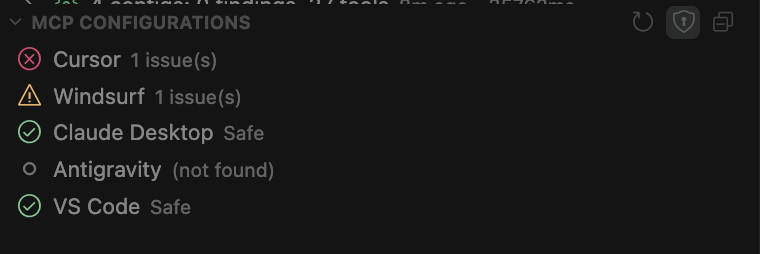
Control which IDE configurations are auto-discovered and scanned.
Setting
Type
Default
Description
mcp-scanner.globalConfigs.cursor
Boolean
true
Discover and scan Cursor's MCP configuration.
mcp-scanner.globalConfigs.windsurf
Boolean
true
Discover and scan Windsurf's MCP configuration.
mcp-scanner.globalConfigs.claude
Boolean
true
Discover and scan Claude Desktop's MCP configuration.
mcp-scanner.globalConfigs.vscode
Boolean
true
Discover and scan VS Code's MCP configurations.
mcp-scanner.globalConfigs.antigravity
Boolean
true
Discover and scan Antigravity's MCP configuration.
Skill Source Discovery
Control which skill sources are auto-discovered and scanned.
Setting
Type
Default
Description
skill-scanner.globalSkills.claudeSkills
Boolean
true
Discover skills from Cursor (~/.cursor/skills/), Claude (~/.claude/skills/), and Codex (~/.codex/skills/) global paths.
skill-scanner.globalSkills.antigravitySkills
Boolean
true
Discover skills from ~/.gemini/antigravity/skills/.
skill-scanner.globalSkills.customPaths
Array
[]
Additional directories to scan for skills. Each entry should be an absolute path to a directory containing skill folders.
VirusTotal
Setting
Type
Default
Description
skill-scanner.virustotal.apiKey
String
""
VirusTotal API key for binary scanning.
skill-scanner.virustotal.uploadUnknownFiles
Boolean
false
Upload files to VirusTotal when no existing hash match is found. Off by default — only file hashes are sent unless you enable this.
Notifications
Setting
Type
Default
Description
mcp-scanner.notifications.critical
Boolean
true
Show popup for critical findings.
mcp-scanner.notifications.high
Boolean
true
Show popup for high findings.
mcp-scanner.notifications.medium
Boolean
true
Show popup for medium findings.
mcp-scanner.notifications.low
Boolean
false
Show popup for low findings.
mcp-scanner.notifications.scanComplete
Boolean
true
Show summary notification when a scan finishes.
mcp-scanner.notifications.showProgress
Boolean
false
Show a progress notification during scanning. Disable for silent background scans.
mcp-scanner.notifications.showOutputOnScan
Boolean
false
Open the output/debug panel when starting a manual scan.
Allowlist
Mark trusted items as allowed directly from scan results via the Add to Allowlist action, or configure the lists manually in settings.
Setting
Type
Default
Description
mcp-scanner.allowlist.enabled
Boolean
true
Enable allowlist filtering. When enabled, findings for allowlisted items are suppressed.
mcp-scanner.allowlist.servers
Array
[]
Trusted MCP server names to exclude from results.
mcp-scanner.allowlist.tools
Array
[]
Trusted MCP tool names to exclude from results.
mcp-scanner.allowlist.skills
Array
[]
Trusted skill names to exclude from results.
Scan History
Setting
Type
Default
Description
mcp-scanner.history.enabled
Boolean
true
Store scan results in history for comparison and review.
mcp-scanner.history.maxEntries
Number
50
Maximum number of scan history entries to retain.
Custom YARA Rules
Setting
Type
Default
Description
mcp-scanner.customYara.enabled
Boolean
false
Enable loading of custom YARA rules alongside built-in rules.
mcp-scanner.customYara.rulesPath
String
""
Absolute path to a directory containing custom .yar or .yara rule files.
Scan Policies (Skills)
Setting
Type
Default
Description
skill-scanner.scanPolicy
Select
balanced
Policy preset for skill scanning: strict (lower thresholds, more findings), balanced (reasonable defaults), permissive (higher thresholds, fewer findings), or custom (use a YAML policy file).
skill-scanner.scanPolicyFile
String
""
Path to a custom scan policy YAML file. Only used when scanPolicy is set to custom.
skill-scanner.customRulesPath
String
""
Path to a directory containing custom rule packs for skill scanning.
CodeGuard
Setting
Type
Default
Description
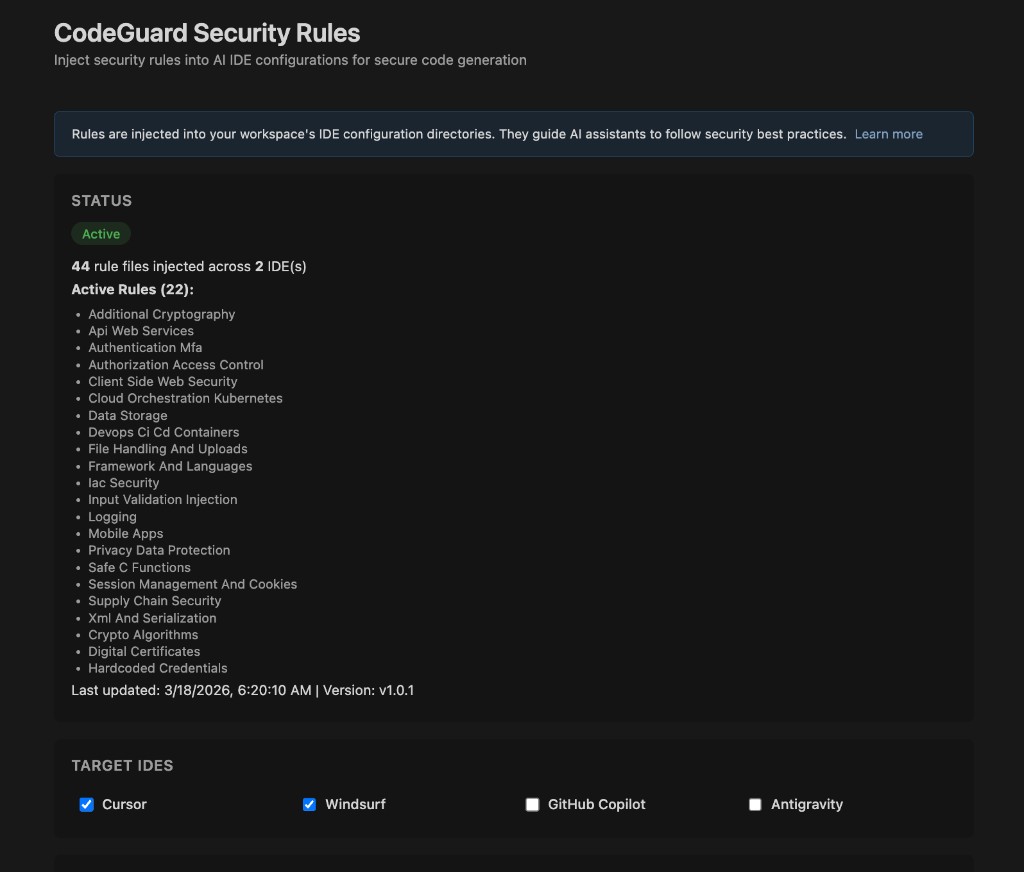
codeguard.enabled
Boolean
true
Enable CodeGuard rule injection into IDE agent context.
Watchdog
Setting
Type
Default
Description
watchdog.enabled
Boolean
true
Enable Watchdog file protection.
watchdog.action
Select
notify
Action on file change: notify (alert only) or restore (auto-revert to last snapshot).
watchdog.presets
Array
["cursor", "claude-code", "shell-config"]
Built-in file protection presets to enable. Available presets: cursor, claude-code, claude-desktop, shell-config, vscode, windsurf, workspace-mcp. See the Features page for details on what each preset protects.
watchdog.customFiles
Array
[]
Additional absolute file paths to monitor beyond the presets.
UI Display
Setting
Type
Default
Description
mcp-scanner.ui.inlineDecorations
Boolean
true
Show status indicators inline in MCP config files.
mcp-scanner.ui.codeLens
Boolean
true
Show CodeLens annotations above server definitions in MCP config files.
mcp-scanner.skills.showFindingsInSidebar
Boolean
false
Show expanded finding details directly in the Skills sidebar tree.
Python Environment
Setting
Type
Default
Description
mcp-scanner.python.useSystem
Boolean
false
Prefer the system Python installation over the portable runtime.
mcp-scanner.python.customPath
String
""
Absolute path to a specific Python binary to use. Overrides both system and portable Python.
Telemetry
Setting
Type
Default
Description
mcp-scanner.telemetry.enabled
Boolean
true
Send anonymous usage data to help improve the extension. No source code, API keys, or PII is ever transmitted. Disable to opt out entirely.
mcp-scanner.telemetry.endpoint
String
""
Metrics endpoint URL (leave empty to use bundled default).
mcp-scanner.telemetry.apiKey
String
""
API key for metrics endpoint authentication.
mcp-scanner.telemetry.batchSize
Number
10
Number of events to batch before sending to endpoint.
mcp-scanner.telemetry.flushIntervalSeconds
Number
30
Seconds between automatic flushes of telemetry data.
Debug
Setting
Type
Default
Description
mcp-scanner.debugMode
Boolean
false
Enable verbose debug logging in the output channel. Useful for troubleshooting scan failures and environment issues.
We use cookies for analytics to understand how visitors interact with this site. No personal data is sold or shared with third parties. Privacy Policy